Private by design · No bank access

Stop paying for subscriptions you forgot about.

Every recurring charge in one place. See what you spend, spot the ones you forgot, and cut what you don't need.

Download on the App Store
Free · iOS 26+
9:41
ManageSubs
November 2025
$187.40 of $200 budget
vs October: $12.50 more
N
Netflix
Renews Nov 18
$22.99
was $15.49
Spotify Premium
Renews Nov 24
$10.99
Disney+
Renews Dec 1
$13.99
iCloud+ 200GB
Renews Dec 3
$2.99
1Password
Renews Dec 7
$2.99
Subs
Trends
Settings
No bank access
Your accounts stay yours
On-device records
Subscription data stored locally
No ads, ever
Limited EU product analytics
Optional iCloud sync
Can be turned off
9 listed languages
Feature coverage varies
The reality

Subscription creep is real.
And it's expensive.

You're paying for more than you think. ManageSubs shows you exactly how much — fast.

Sound familiar?

A free trial quietly converted to paid. You meant to cancel weeks ago.

That app from January still charges you. You haven't opened it since.

You think you spend $80. Your statement says $147.

An annual renewal hits. $119.99, out of nowhere.

ManageSubs fixes that

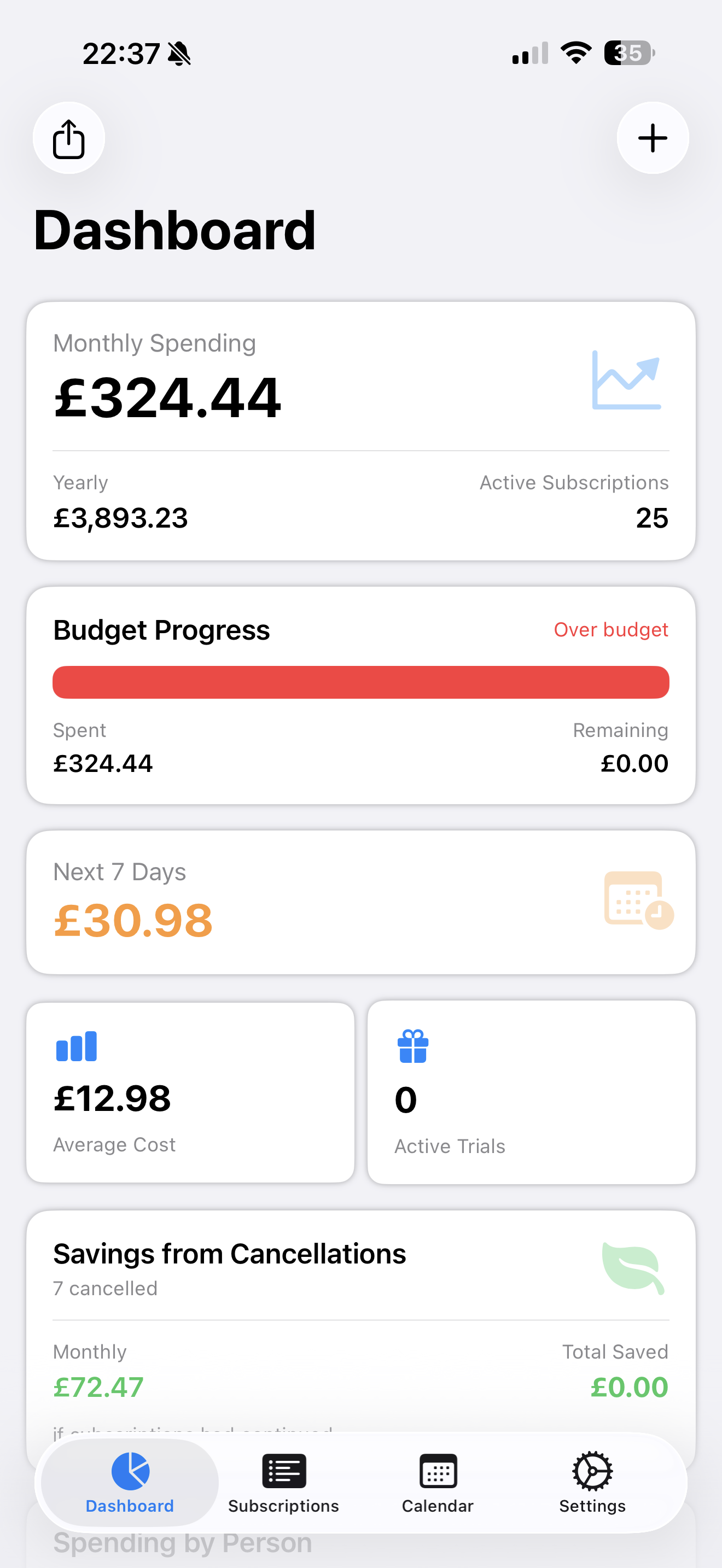
Spending by category and family member — see who's paying for what.

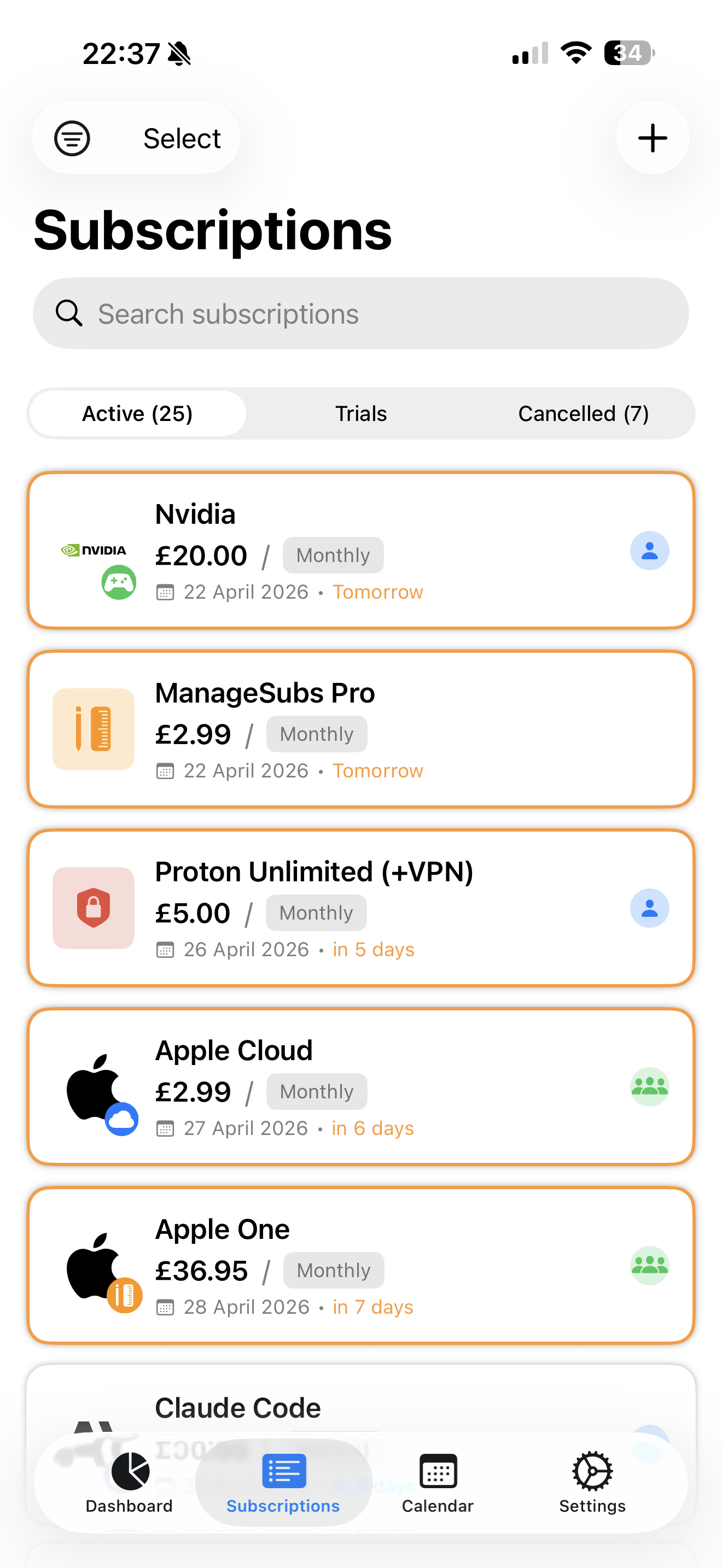
Every subscription in one clean, organized list.

A budget bar that's green under, red over. No spreadsheet.

Total spent + how long you've paid — for every service.

Features

Everything you need.
Nothing you don't.

Budget Tracking

Set a budget. The bar fills green as renewals land, turns red if you go over.

Family Tracking

Assign each subscription to who actually uses it, and see spending per family member.

Member Since

See how long you've paid and the total spent — context for any cancel call.

Spending Trends

Interactive monthly charts. Month-over-month change, calculated for you.

Smart Categories

Entertainment, productivity, health, family — see where the money really goes.

Private by Design

No bank linking. No ads. No data selling. iCloud sync stays in Apple's ecosystem.

App preview

Built to be used,
not just downloaded.

9:41
ManageSubs
November 2025
$187.40of $200 budget
vs October: $12.50 more
N
Netflix
Nov 18
$22.99
$15.49
Spotify
Nov 24
$10.99
Disney+
Dec 1
$13.99
iCloud+
Dec 3
$2.99
1Password
Dec 7
$2.99
Subs
Trends
Settings
9:41
Upcoming renewals
$187.40 / mo
N
Netflix
Nov 18 · in 2 days
$22.99
Spotify
Nov 24 · in 8 days
$10.99
This month
$187
of $200 budget
Next up
N
$22.99
Netflix · in 2 days
9:41
Back
Spotify Premium
Music & Podcasts · Monthly
MEMBER SINCE
Dec 2020
5 years, 6 months
TOTAL SPENT
$791.28
$10.99 / month
PRICE HISTORY
Dec 2020 – Oct 2023$9.99/mo
Nov 2023 – now$10.99/mo
Subs
Trends
Settings
Budget Tracking

See you're getting close — before you go over.

Set a budget once. Green while you're under, red the moment you're not. No spreadsheet required.

Visual bar: green → yellow → red
Every renewal date, no surprises
Recorded costs stay visible
Privacy-first tracking

Your subscription records.
Under your control.

Records are stored on your iPhone, with optional private iCloud sync. ManageSubs never connects to your bank.

Manual or supported imports Add subscriptions yourself or use supported template, CSV, JSON, and screenshot import flows.
Optional private iCloud sync Keep records on your device or sync them through your own private iCloud account.
No bank transaction access ManageSubs does not connect to a bank or transaction aggregator to discover subscriptions.
Why it works

The easiest money win is the one you can see.

Clarity changes behavior. Here's what tracking your subscriptions actually does.

Awareness is the first cut

Seeing every subscription in one list is usually enough to cancel one or two today. You can't trim what you can't see.

Small charges bleed quietly

A few dollars here, a forgotten trial there. Recurring charges are built to be ignored — which is why a tracker pays off.

Your money, your data

No bank access required. Subscription records are stored on your device, with optional private iCloud sync you can turn off.

FAQ

Questions, answered.

Does ManageSubs need access to my bank account?
No. ManageSubs never connects to your bank, card, or any financial institution. You add subscriptions yourself or use supported import and scan tools.
Is my data private?
ManageSubs stores subscription records on your device and offers optional private iCloud sync, which you can turn off. It also uses PostHog's EU endpoint for limited product analytics. The App Store privacy disclosure lists identifiers, product interaction, diagnostics, and purchase history as data not linked to your identity. See our Privacy Policy for details.
How do I add subscriptions?
You can enter subscriptions manually or use supported template, CSV, JSON, and screenshot import flows. ManageSubs does not connect to your bank or automatically discover subscriptions.
Will it remind me before subscriptions renew?
Yes. ManageSubs uses the renewal dates and reminder timing you record to schedule local notifications before upcoming renewals. If you record a trial end date, it can also remind you one day before the trial expires. Notifications require permission, and delivery depends on iOS.
What iOS version do I need?
ManageSubs runs on iPhone with iOS 26 or later.
How much does it cost?
ManageSubs is free to download and start using — no account required. You can begin tracking subscriptions in a few minutes.
Can I use it in my language?
The App Store lists ManageSubs in nine languages: English, German, Spanish, French, Italian, Dutch, Brazilian Portuguese, Japanese, and Korean. Feature coverage varies, and privacy and terms are provided in English.
Guides

The real cost of subscriptions

What two US surveys found — and practical guides to help you review your own spending.

≈$205
reported annual spend on subscriptions they did not use, among US subscribers surveyed
$133
monthly gap between US respondents' 10-second estimate and later category-by-category total
$1,080
reported average annual spend among surveyed US adults who paid for subscriptions

Survey context: respondent-reported averages; your spending may differ. Open each source for its methodology.

How to find subscriptions you forgot you are paying forFind forgotten subscriptions across Apple, Google Play, PayPal, providers, receipts, email, and statements—without connecting a bank account.How to cancel a subscription on iPhone by billing providerCancel an iPhone subscription through Apple or the actual biller. Check Google Play, PayPal, carriers, trials, confirmation, access, and refund limits.A practical subscription audit checklistAudit subscriptions across Apple, Google Play, PayPal, providers, receipts, and statements. Verify costs, ownership, decisions, and confirmations.How subscription trackers work without bank accessCompare transaction-connected and no-bank subscription trackers. Review requested data, consent controls, privacy terms, and the manual upkeep required.How to calculate your subscription spendingCalculate monthly and yearly subscription spending across billing cycles, currencies, discounts, taxes, and shared plans with auditable formulas.How to request a refund for a subscription chargeRequest a subscription refund through Apple, Google Play, a direct merchant, PayPal, or your card issuer—without confusing a refund with cancellation.How to cancel a free trial before you get chargedCancel a free trial through Apple, Google Play, PayPal, or the provider before renewal. Check who bills you, the deadline, access, and refund rules.How to manage Family Sharing subscriptionsApple Family Sharing can share eligible subscriptions, but subscription access and Purchase Sharing are separate. Learn how to check access, billing, duplicates, and cancellations.How to share subscriptions with family using official plansShare subscriptions without passwords. Compare official family plans, Apple Family Sharing, Google family services, billing rules, and duplicate cancellations.How to stop a subscription from auto-renewingStop future subscription renewals using official Apple, Google Play, PayPal, or merchant controls, and check access, payment-plan, and legal exceptions.How to find subscriptions on your bank statementUse bank and card statements to identify possible recurring charges, then reconcile each one with Apple, Google Play, PayPal, receipts, and provider accounts.Free subscription tracker spreadsheet templateDownload a free subscription tracker spreadsheet with renewal dates, billing-cycle formulas, category totals, and a keep/review decision column.
Get ManageSubs

Stop leaking money.
Start in 5 minutes.

Add your subscriptions, then track renewals, spending, and reminders in one place.

Download on the App Store

Free to download · iOS 26+ · No account required to get started

No bank access
No ads, ever
iCloud sync
9 languages
No account required